Guides
Tokenomics
Token Information
🔧
How to get involved with the Discord Testnet
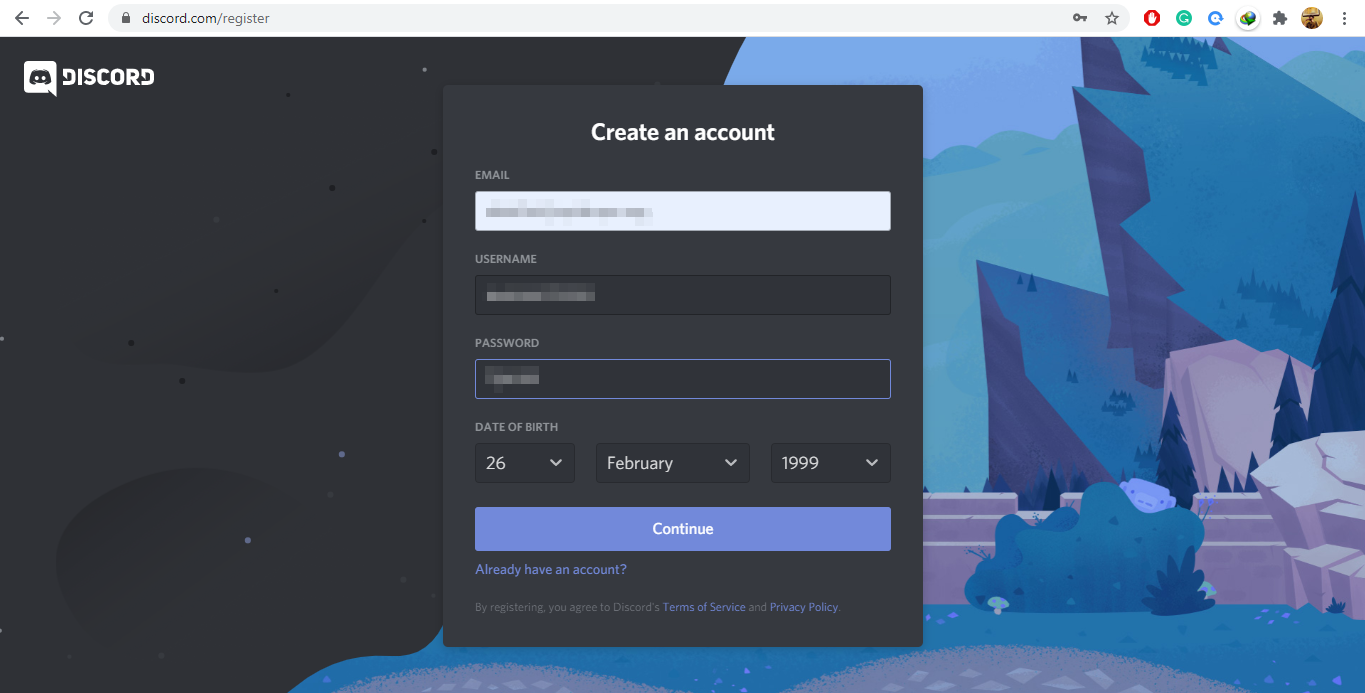
Create an account on Discord Web
Enter all your details and click on Continue. You may be asked to verify your email address, and after that, you can log in.
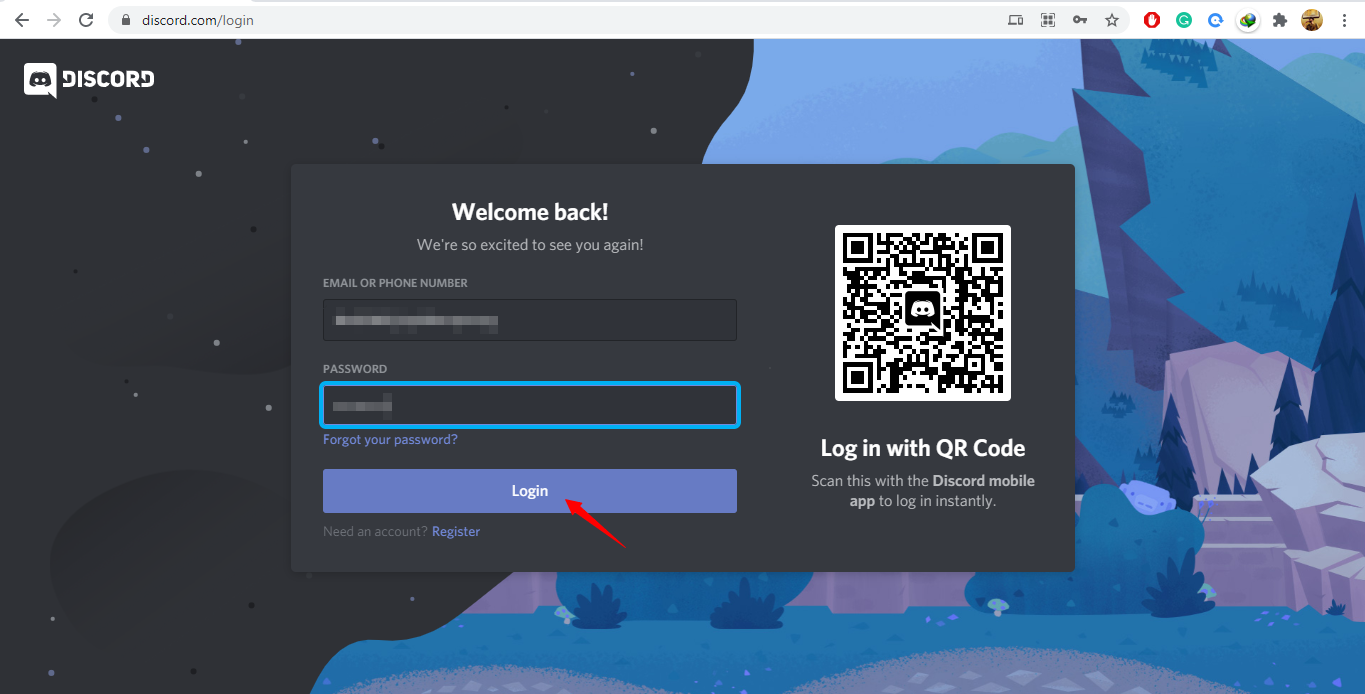
Logging into Discord Web
Enter login details and press Login.
Joining the TestNet Channel
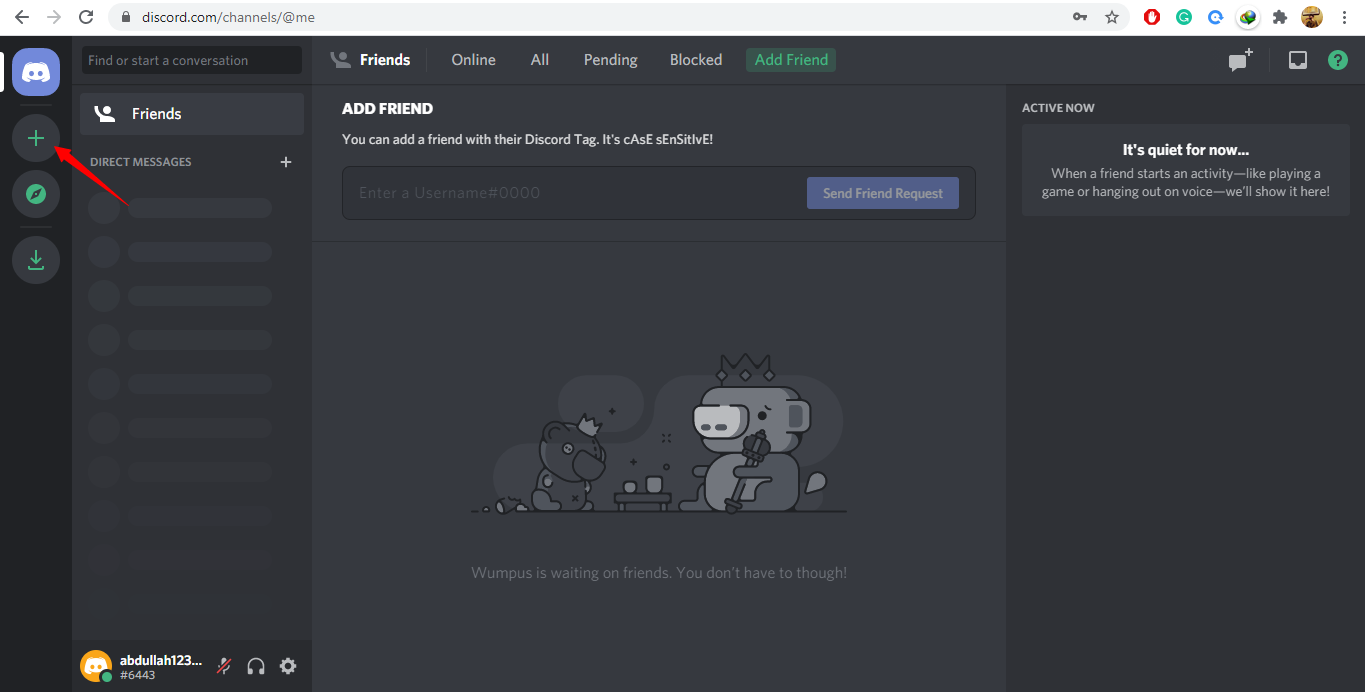
Step 1
From your Discord Web, click on the + icon.
Step 2
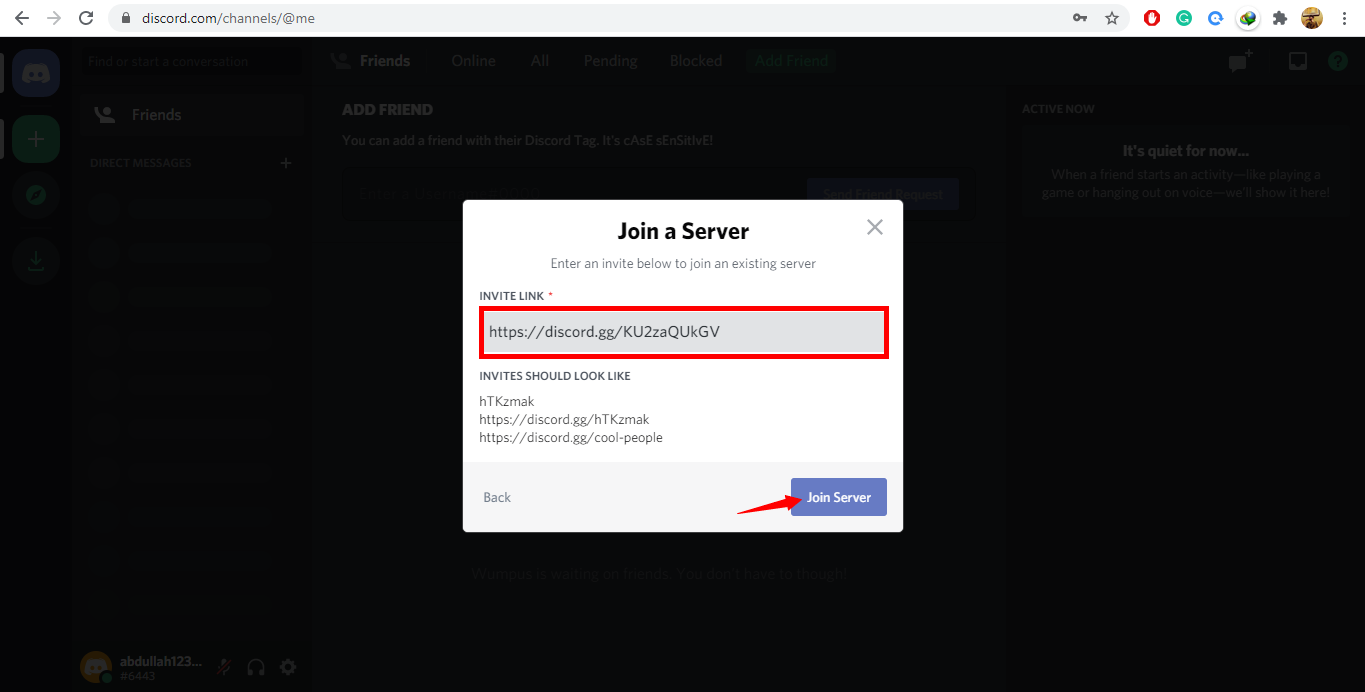
Click on Join a Server.
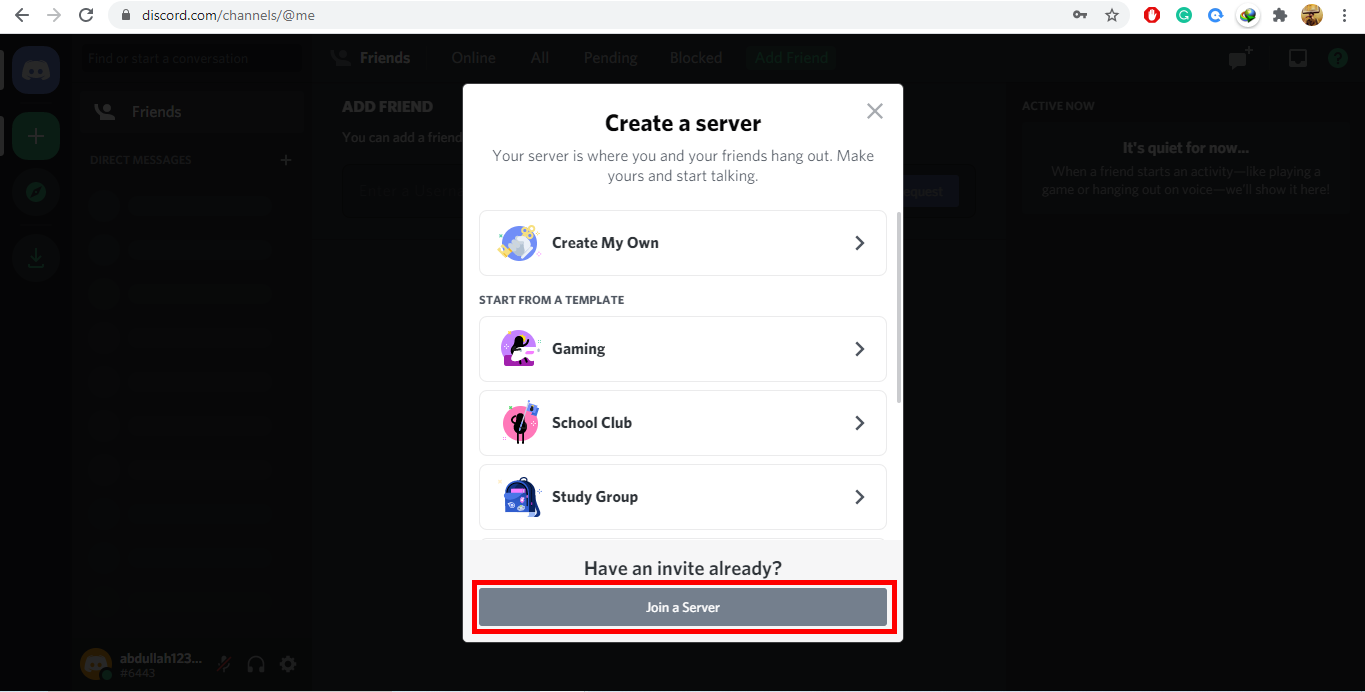
Step 3
Click on Join Server, and you will be added to the TestNet Channel.
How to interact with TestNet
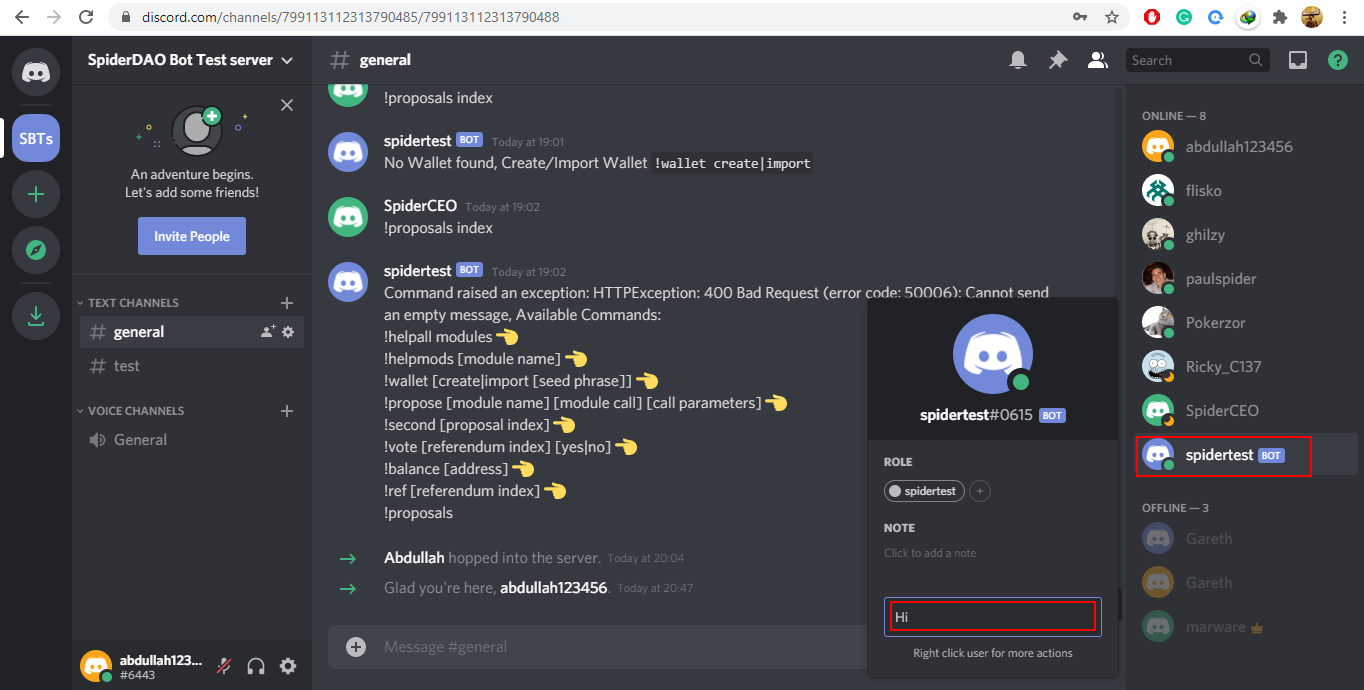
Interacting with spidertest Bot
Click on the spidertest on the right side, type any message, and hit Enter.
Creating a Wallet
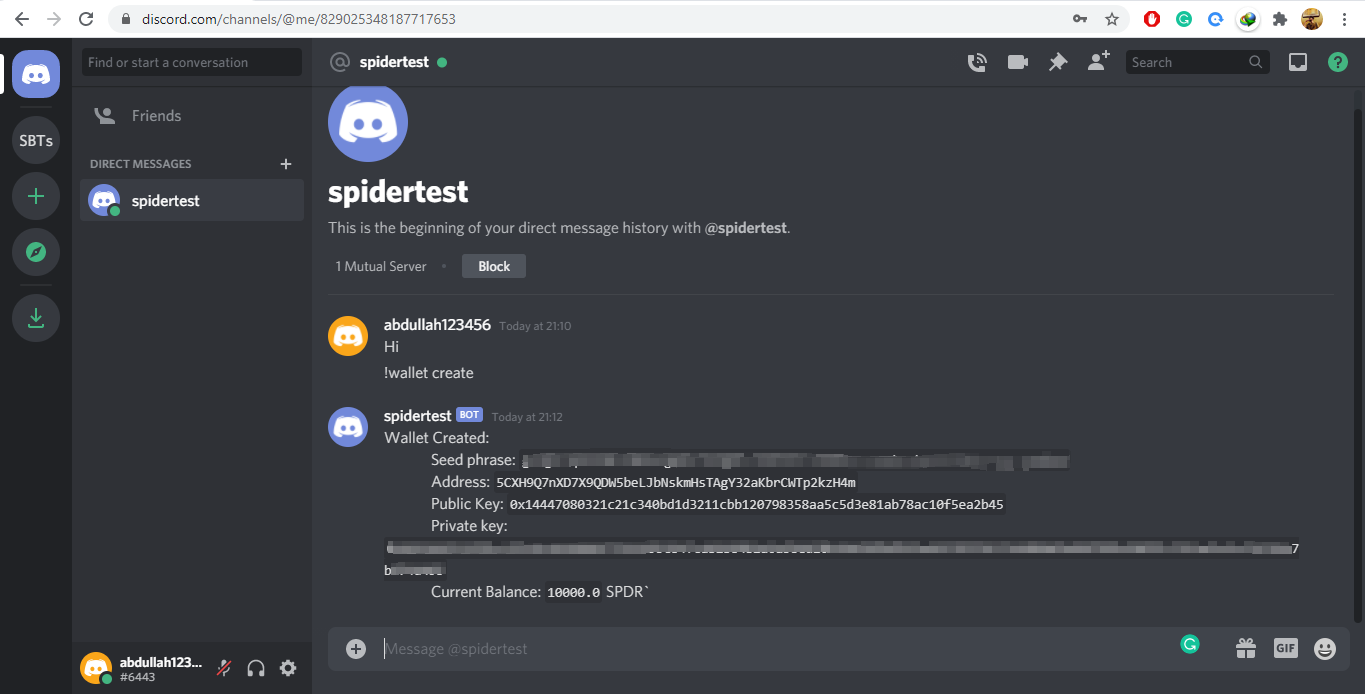
Syntax: !wallet create
This command will create a new wallet, return generated seed phrase, address, the public key, and the private key. Make sure you type this command in private chat with SpiderTest Bot only.
Importing a Wallet
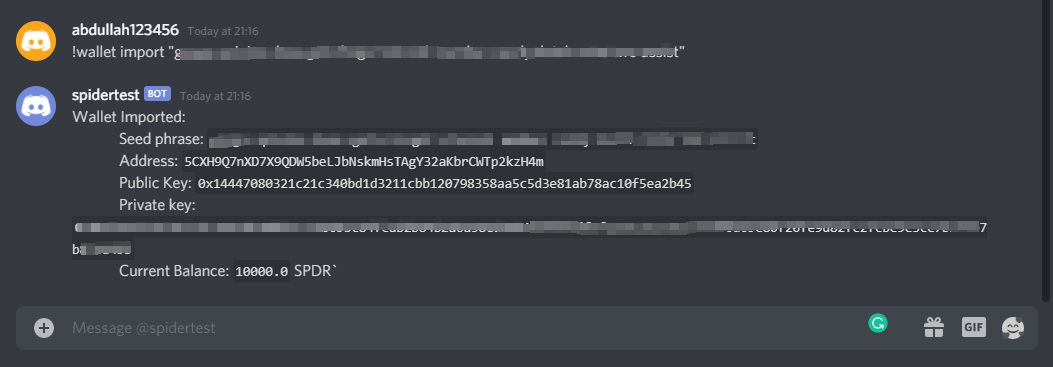
Syntax: !wallet import "SEED_PHRASE" (Note the quotes)
Example: !wallet import "throw leg electric envelope misery artist bitter globe cliff try umbrella picture"
This command will import the existing wallet using the seed phrase. Make sure you type this command in private chat with SpiderTest Bot only.
Checking balance
Syntax: !balance address
Example: !balance
Example: !balance 5E7r3yqYpDaPQmsAUmnehdt3hmKe1RLv532mErXTJMVKbCX8
This command shows the balance of a specific `address`. In case `address` is empty it shows self-balance.

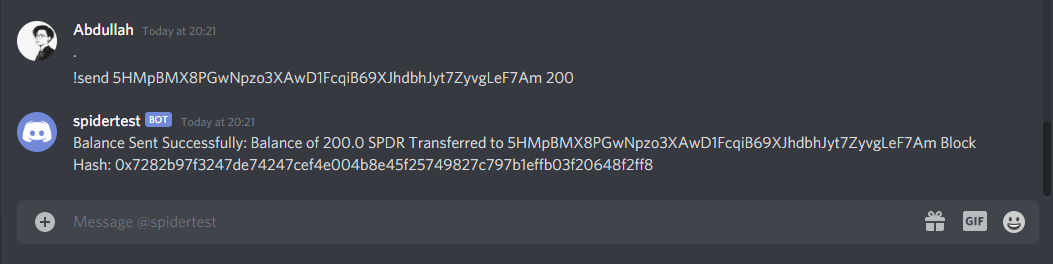
Sending SPDR Token
Syntax: !send address value
Example: !send 5D8F7cGECLEZcaX2twMYCaUo3Z8vUT79h8hC6C54RQ9WZ5fdv 200
Using this command, you can send SPDR tokens to anyone, provided you know their wallet's address.
Creating a Proposal
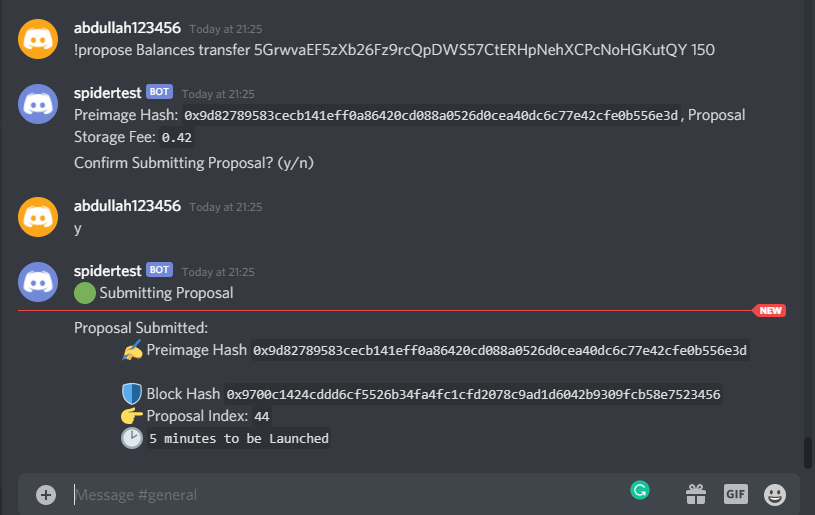
Syntax: !propose Module_name function parameters
Example: !propose Balances transfer 5GrwvaEF5zXb26Fz9rcQpDWS57CtERHpNehXCPcNoHGKutQY 150
This command uses the `transfer` function from the `Balances` module to propose sending 150 SPDR to address `5GrwvaEF5zXb26Fz9rcQpDWS57CtERHpNehXCPcNoHGKutQY`
After this, you will be asked to confirm the proposal by replying with y for Yes and n for No.
Second a proposal
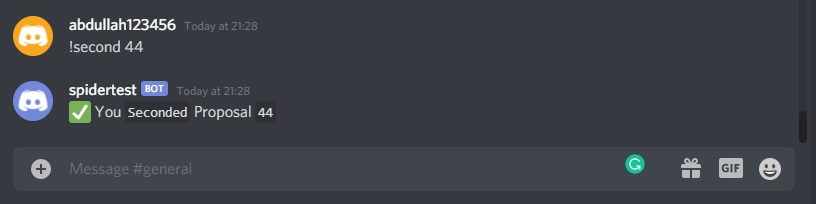
Syntax: !second Proposal_Index
Example: !second 44
This command seconds the proposal of the supplied proposal index. It is a sign to say thumbs up, or good going for a specific proposal.
Voting on a referendum
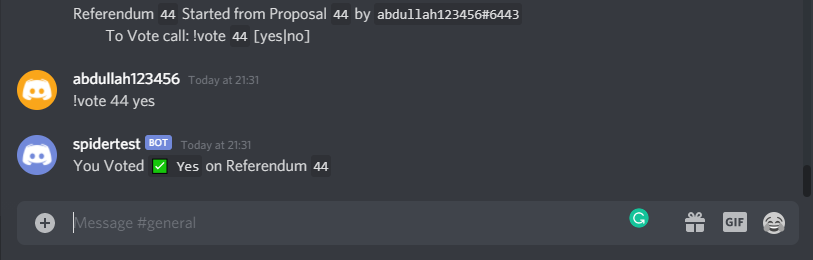
Syntax: !vote Referendum_Index yes/no
Example: !vote 4 yes
Example: !vote 5 no
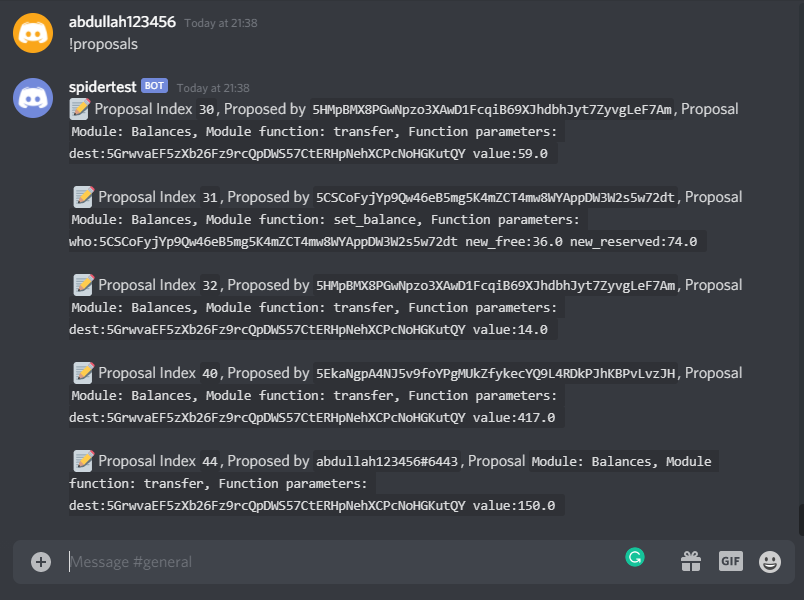
Checking Proposals
Syntax: !proposals
This command will output all the proposals currently running or ended.
Syntax: !proposals index
Example: !proposals 10
This command will return details regarding the proposal of the index stated.
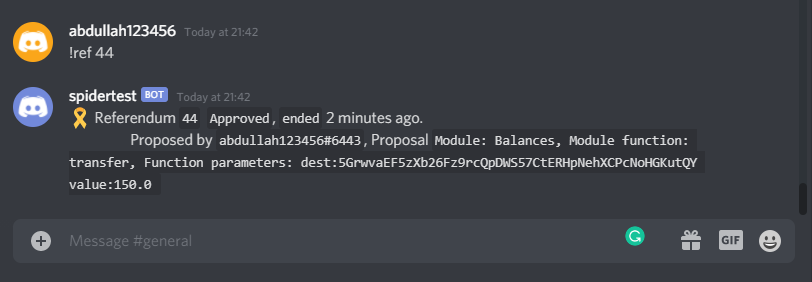
Checking Referendums
Syntax: !ref Referendum_Index
Example: !ref 44
Copy link
Contents
Create an account on Discord Web
Logging into Discord Web
Joining the TestNet Channel
Step 1
Step 2
Step 3
How to interact with TestNet
Interacting with spidertest Bot
Creating a Wallet
Importing a Wallet
Checking balance
Sending SPDR Token
Creating a Proposal
Second a proposal
Voting on a referendum
Checking Proposals
Checking Referendums