Guides
Tokenomics
Token Information
🔧
How to get involved with Router Firmware for Test Net
Click here to install the latest beta firmware.
Note: This firmware is only for Pro Spider Routers.
How to send SPDR to someone's wallet
Step 1
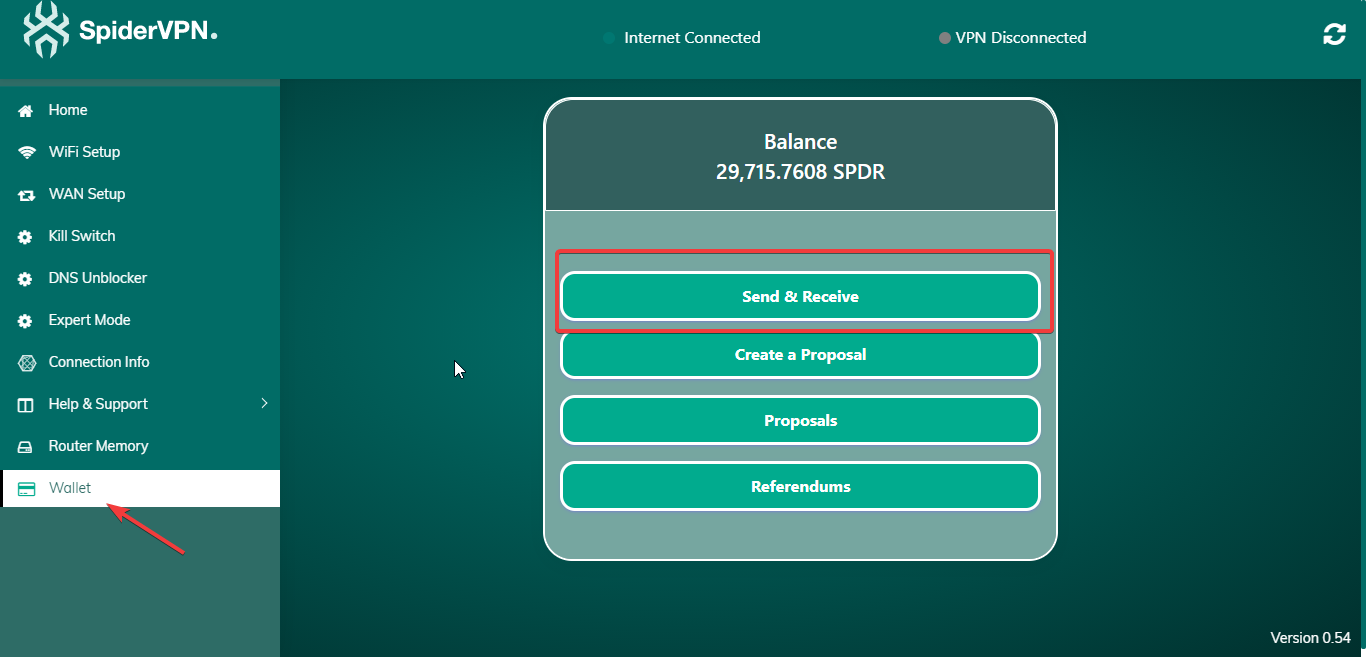
Click on Wallet and then click on Send & Receive.
Step 2
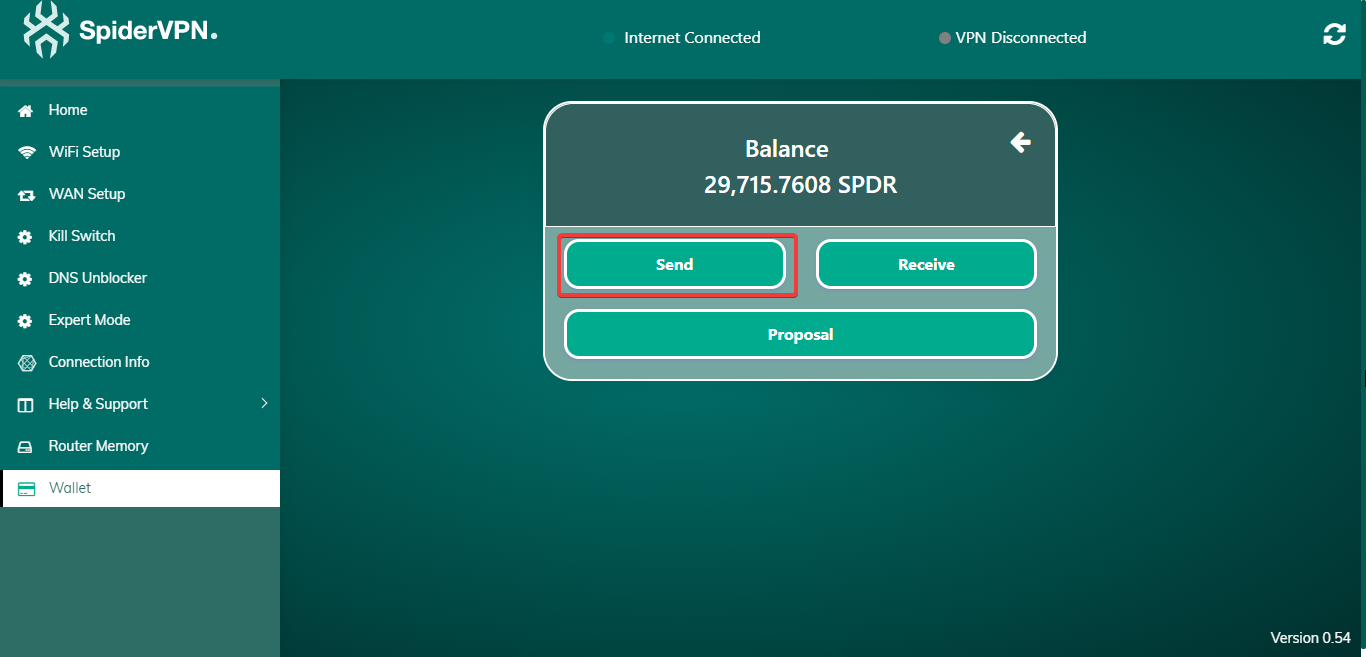
Click on Send.
Step 3
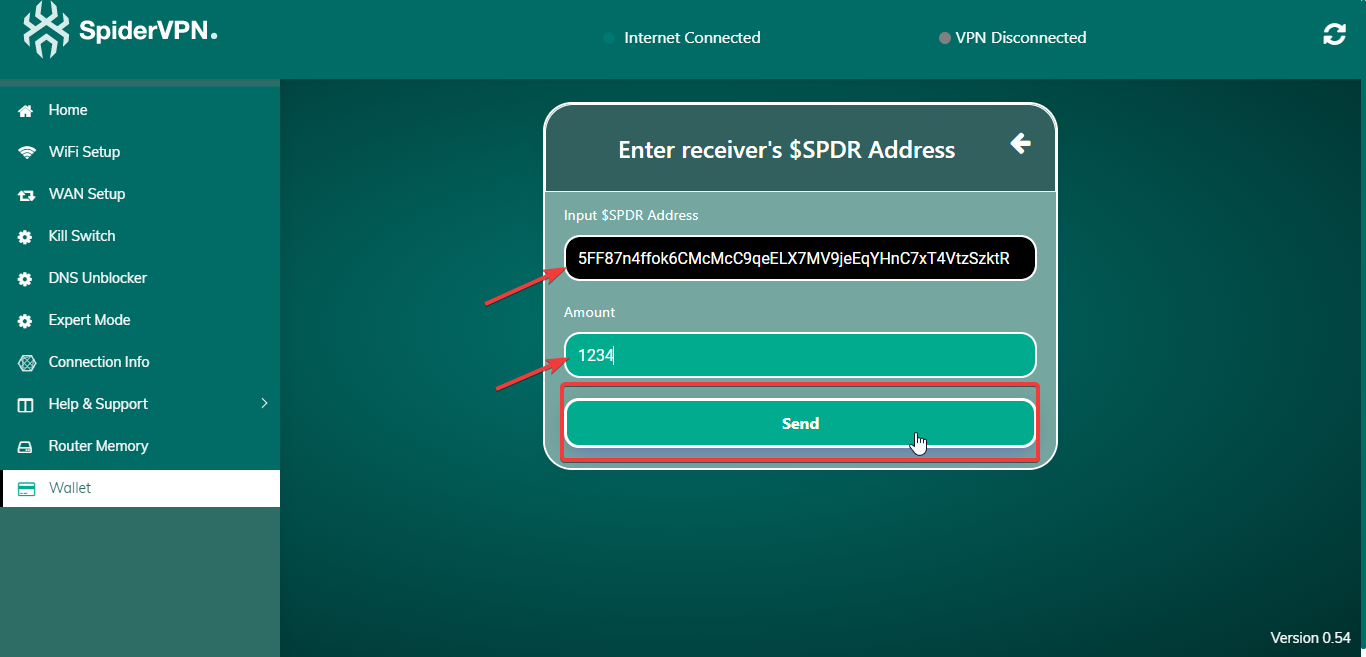
Enter SPDR Wallet Address, enter Amount, and press Send.
Step 4
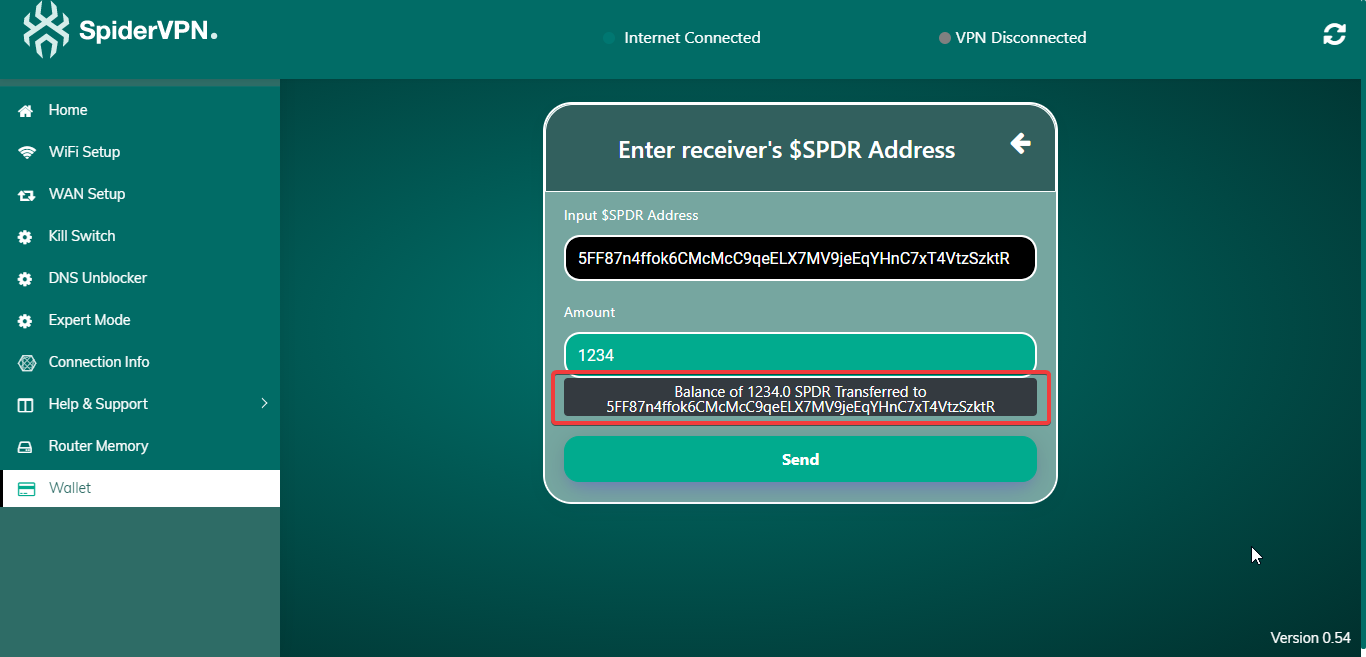
The amount will be sent to the given address.
How to receive SPDR
Step 1
Click on Wallet and then click on Send & Receive.
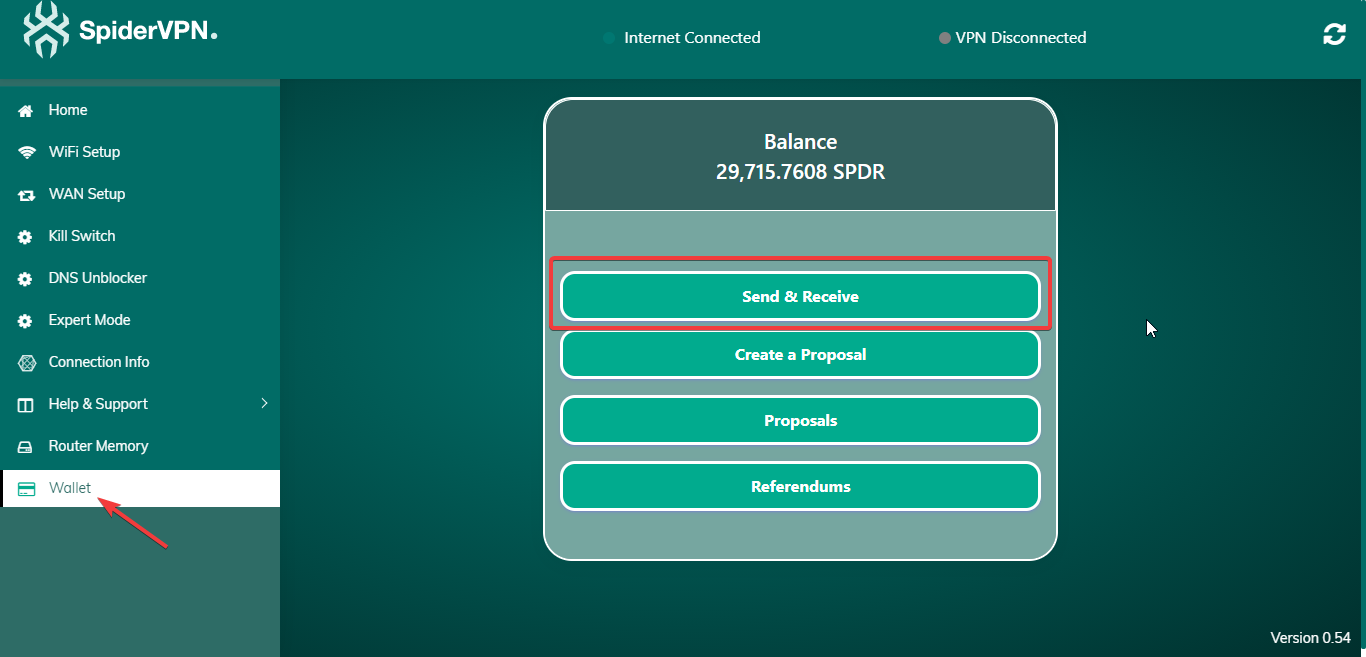
Step 2
Click on Receive.
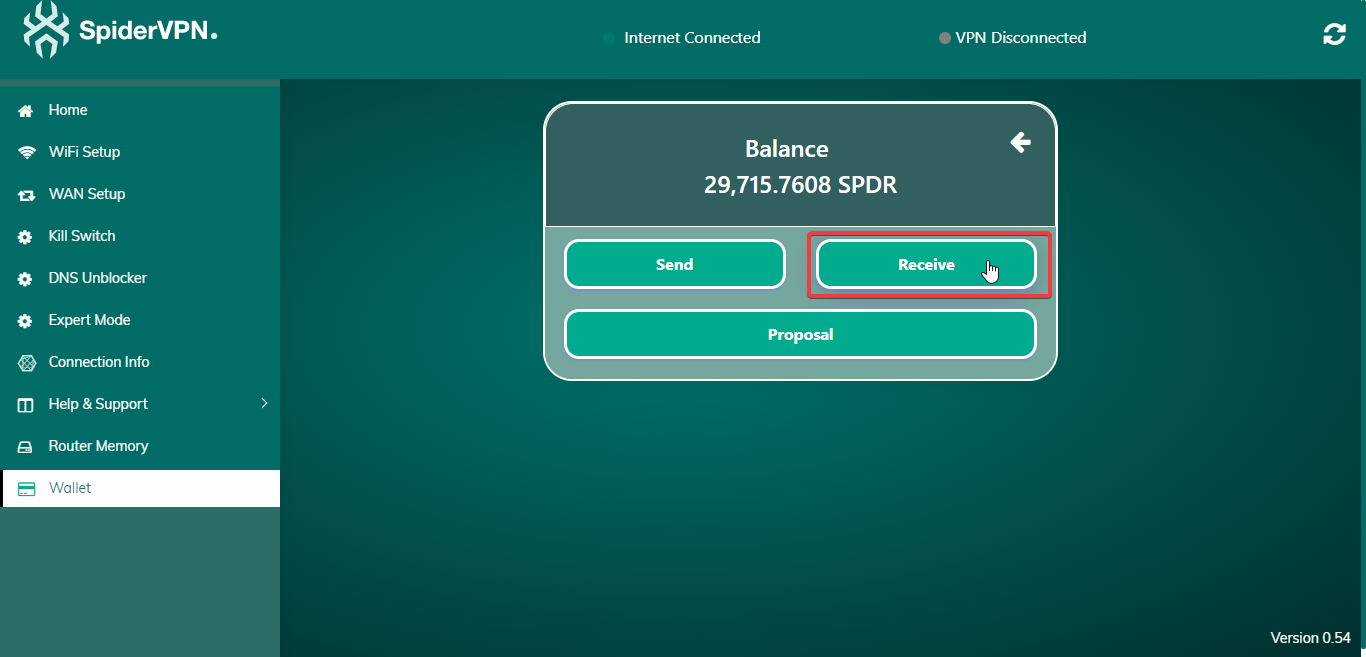
Step 3
Click here to copy your wallet address and then you can send it to someone who wants to send you SPDR.
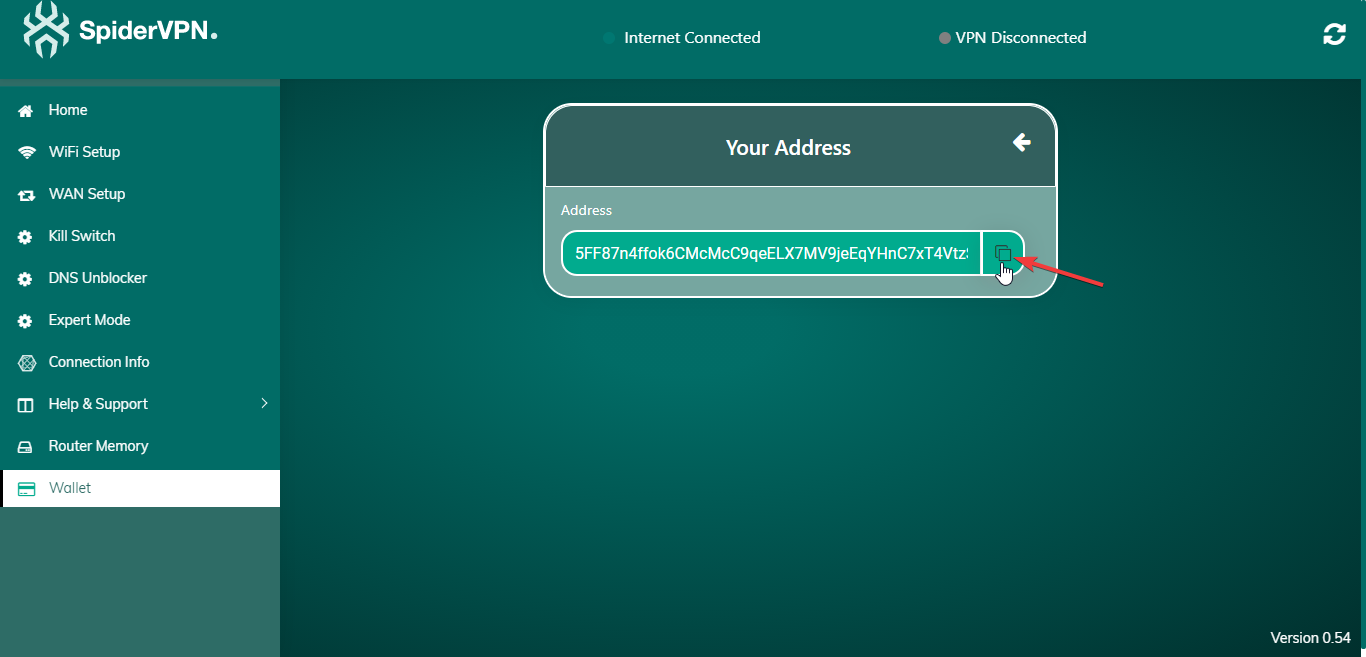
How to create a proposal
Step 1
Click on Wallet and then click on Create a Proposal.
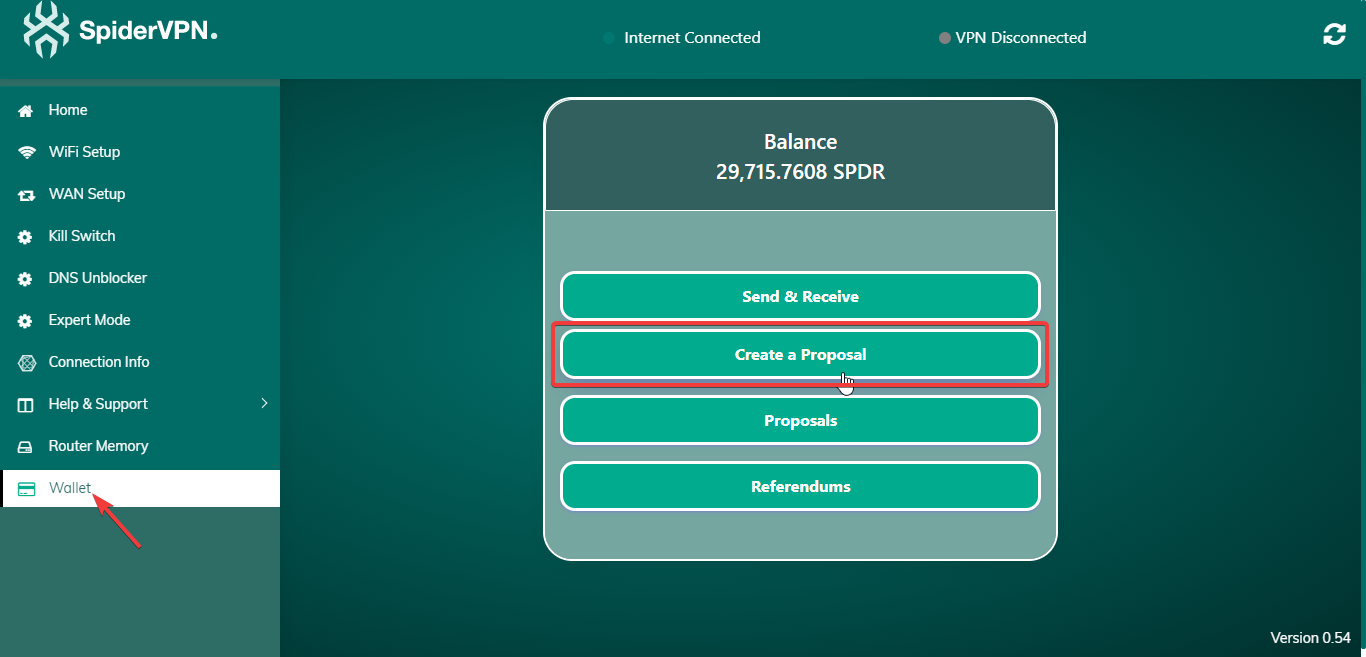
Step 2
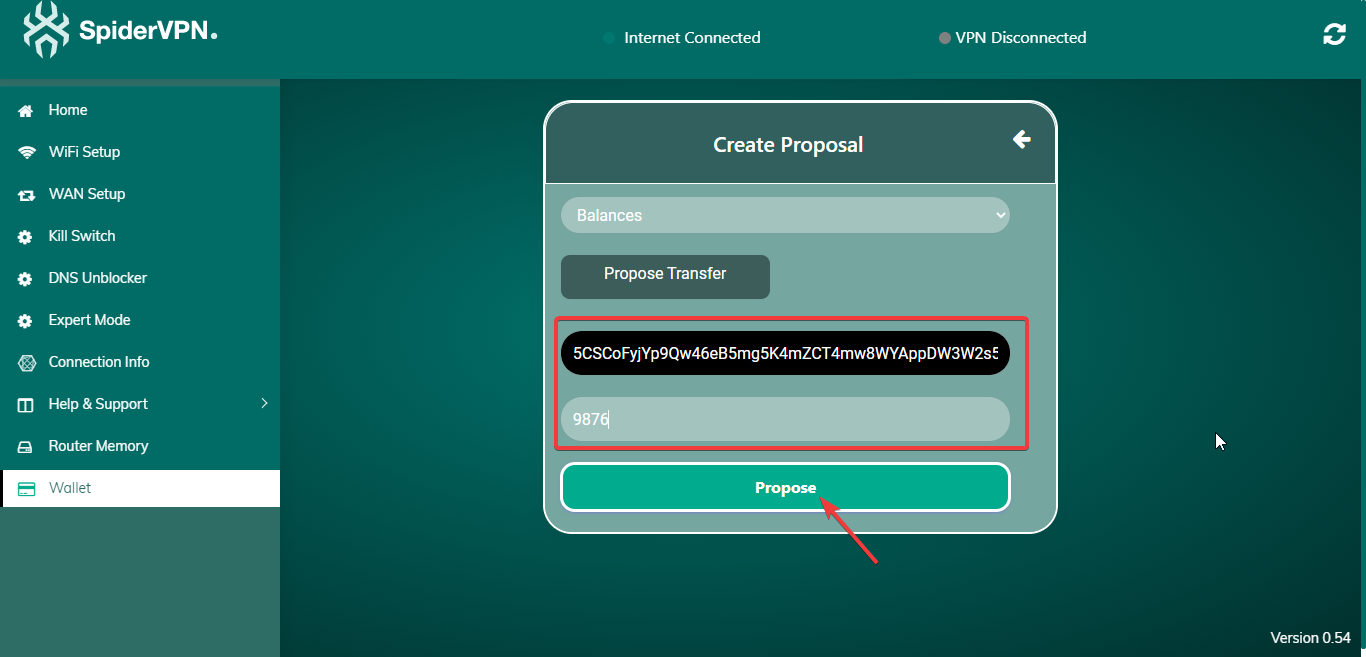
Choose any Module. Enter the destination address and value. Finally, press Propose.
Step 3
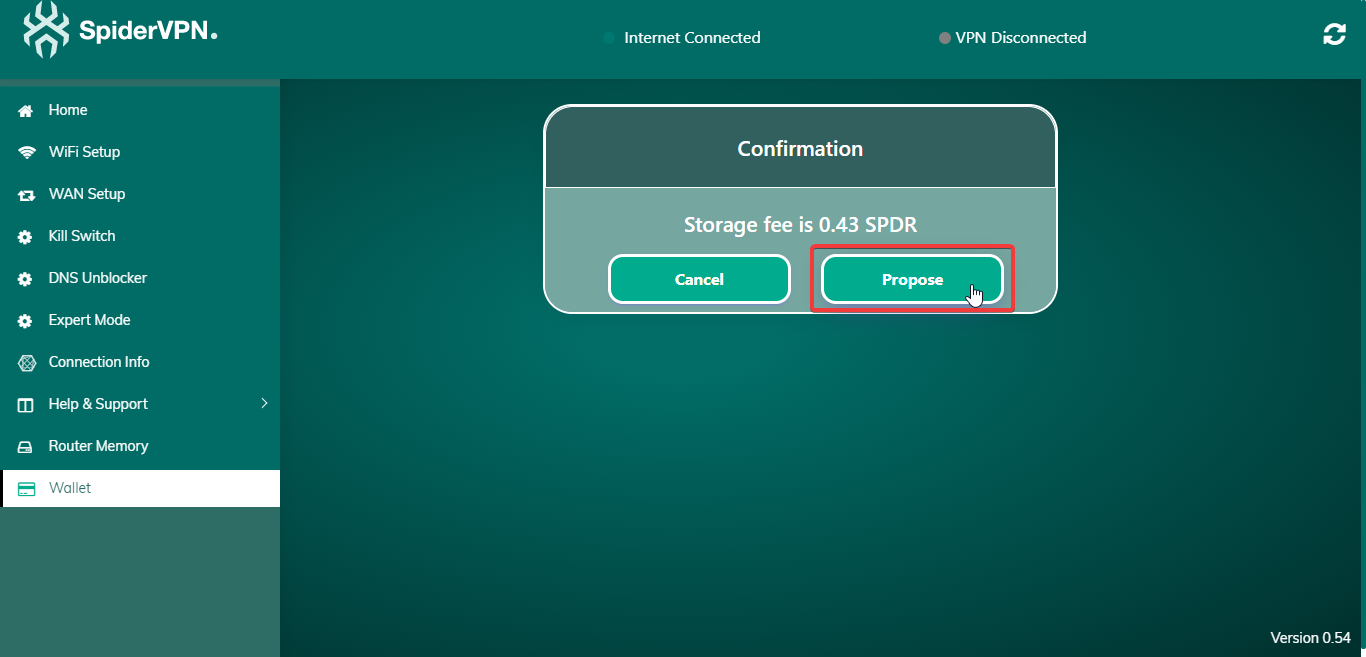
You will be prompted with a Storage Fee. Press Propose to continue.
Step 4
The Proposal will be created successfully.
How to second a proposal
Step 1
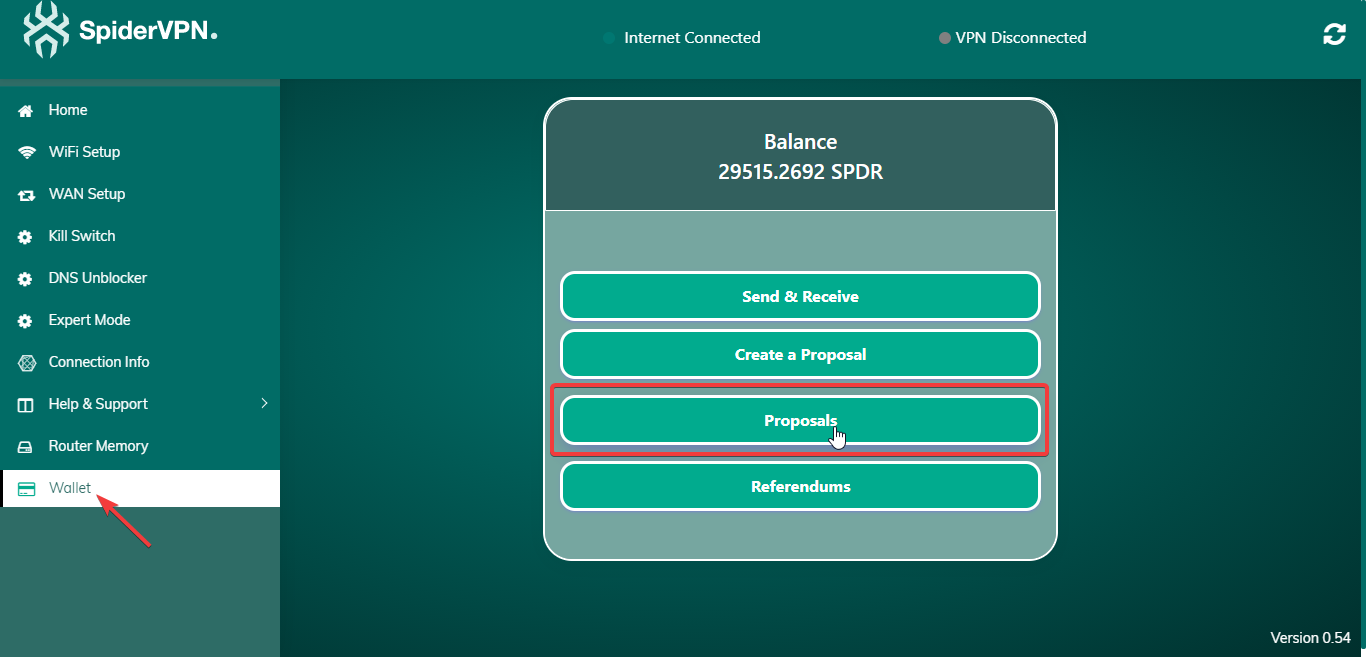
Click on Wallet and then click on Proposals.
Step 2
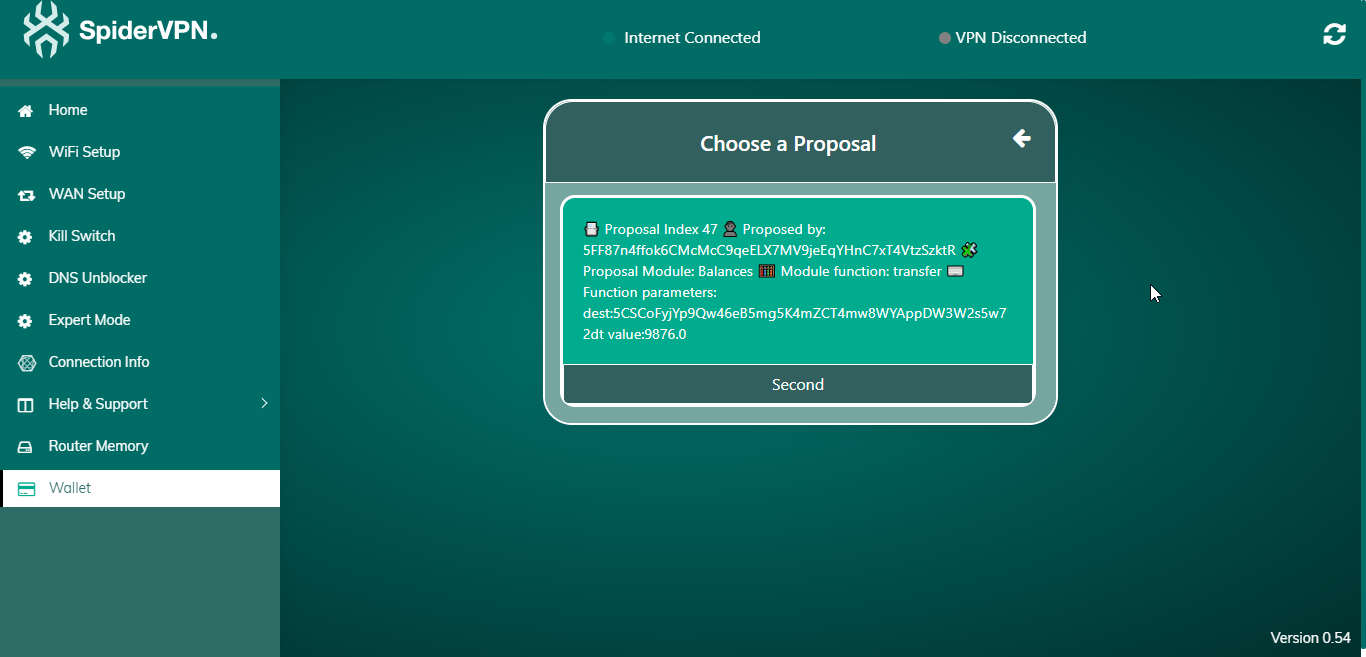
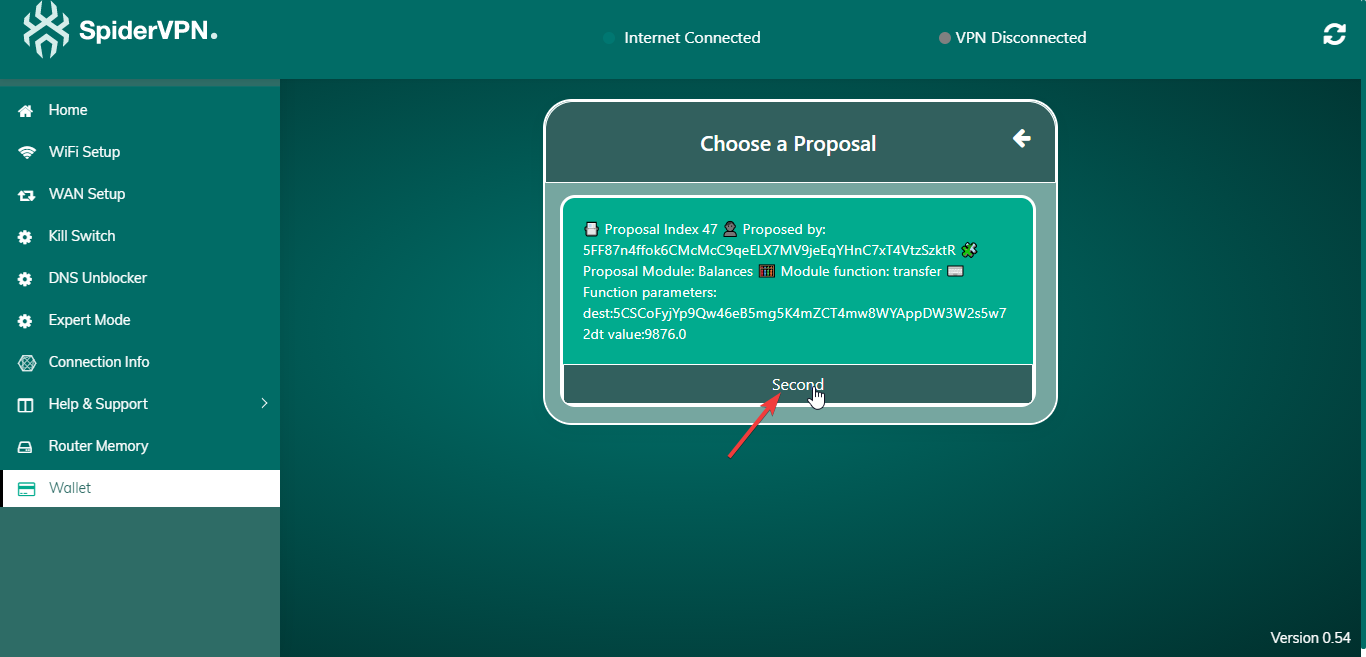
You will get a list of active Proposals. Click on any proposal to Second it as shown below.
Step 3
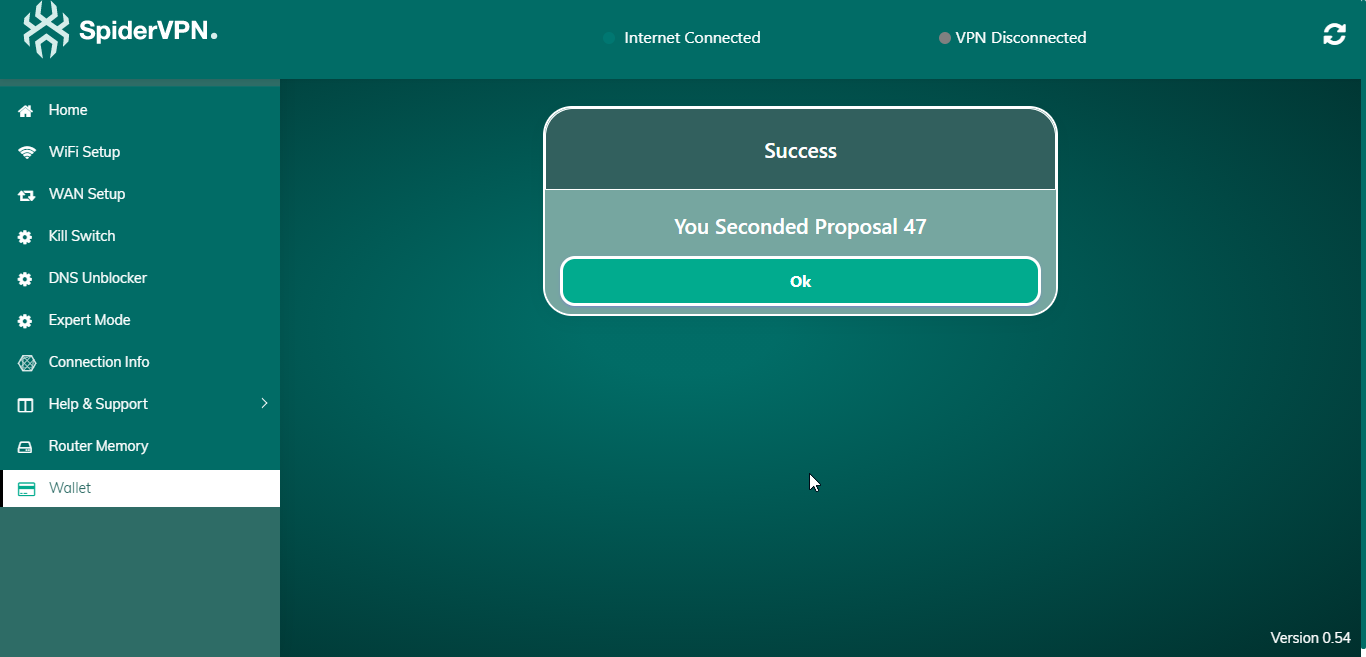
Finally, you will get a confirmation message.
How to vote on a Referendum
Step 1
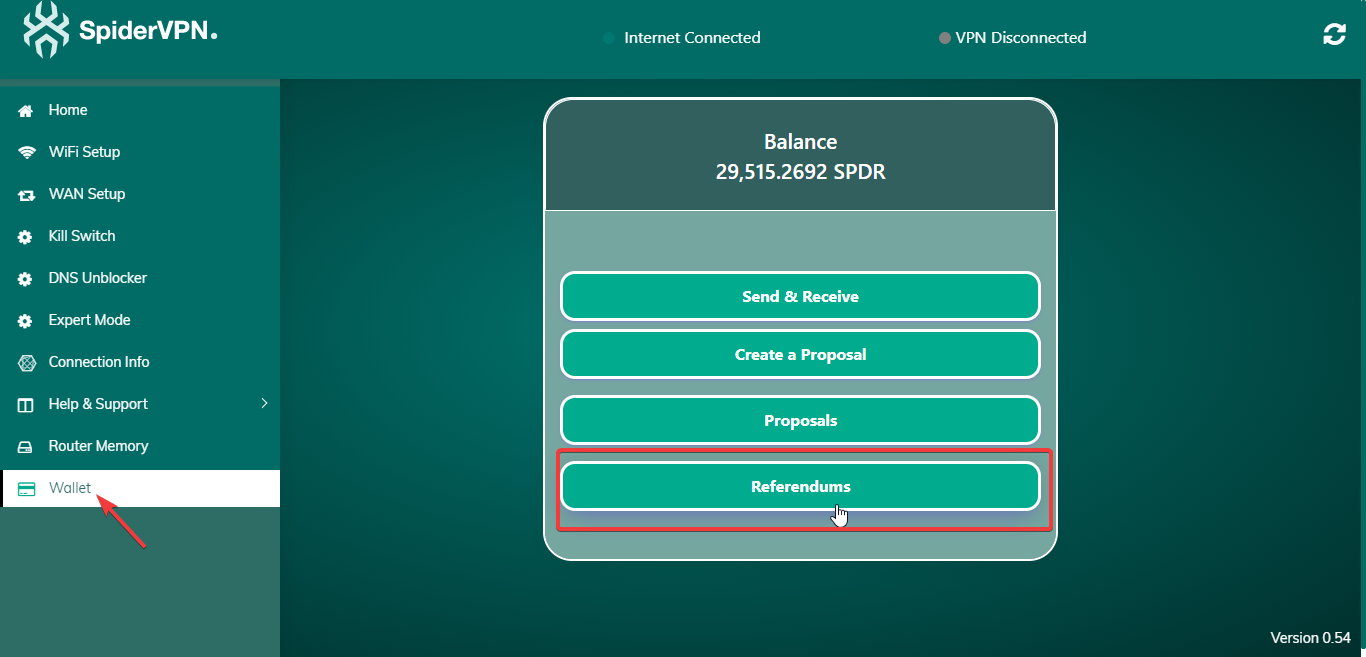
Click on Wallet and then click on Referendums.
Step 2
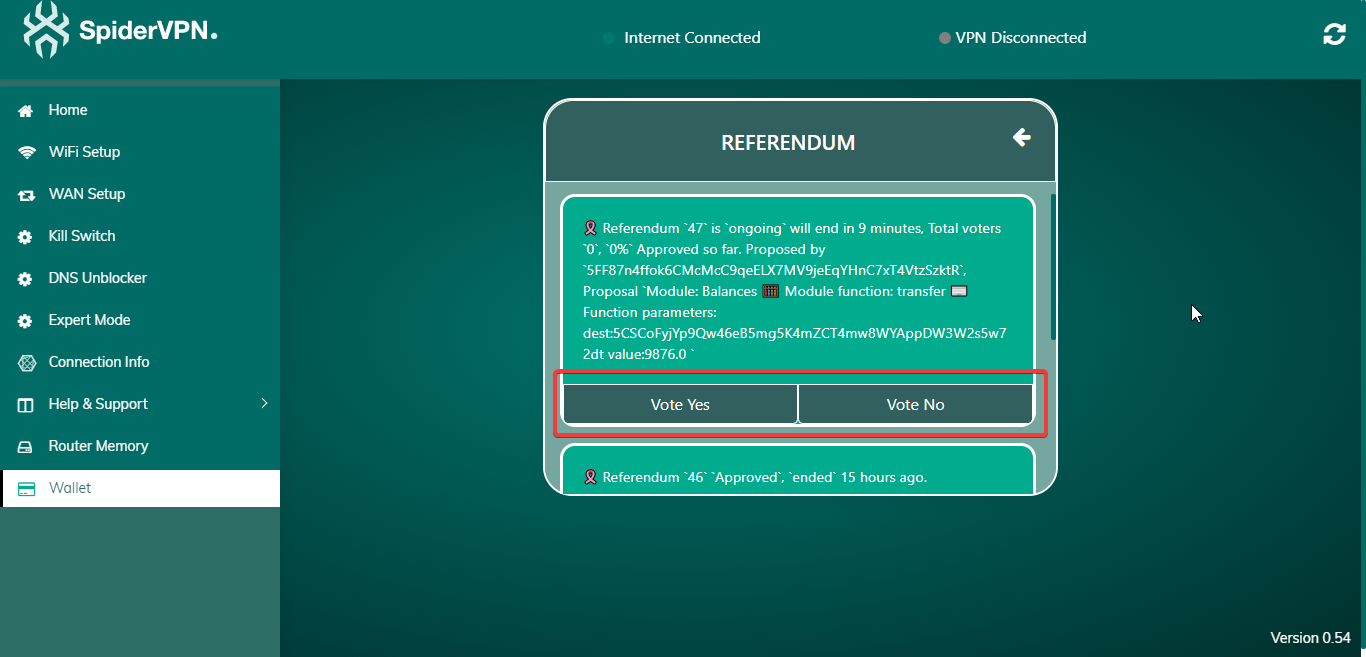
You will get a list of all the active Referendums. Click on Vote Yes or Vote No to vote.
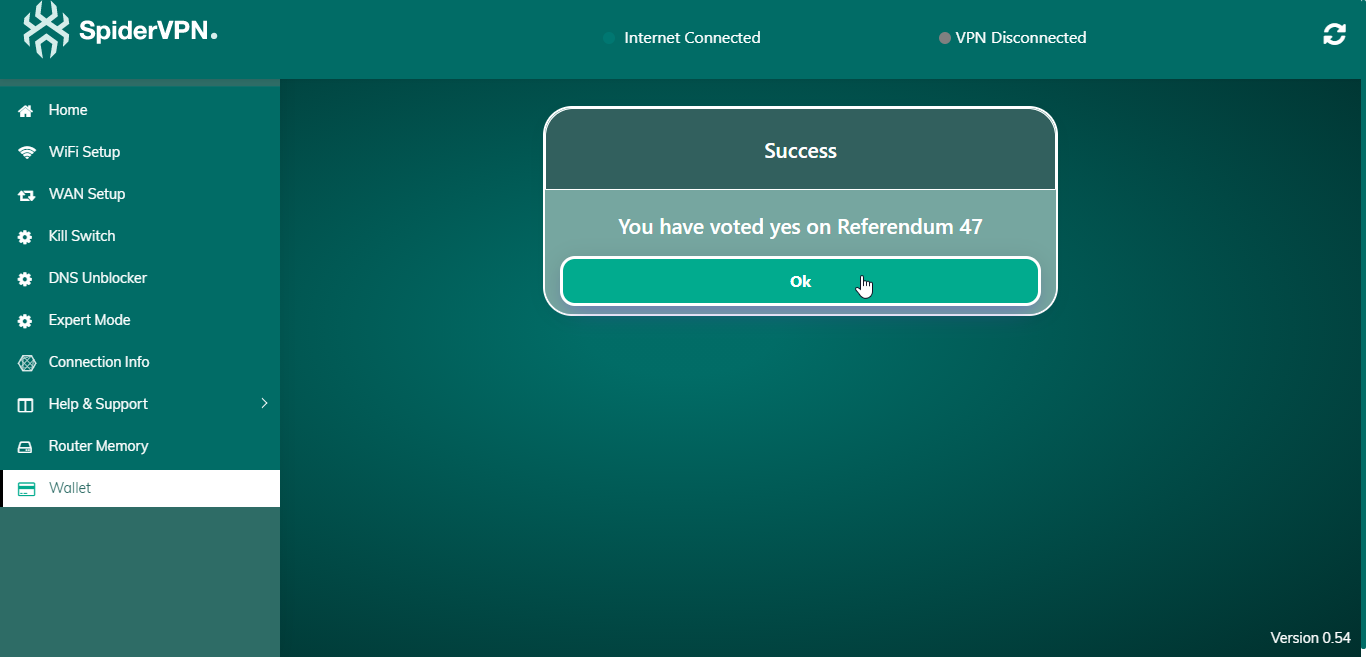
Step 3
You will get a confirmation message that you have voted Yes or No Successfully.
Last modified 3m ago